
参考文档
https://blog.csdn.net/weixin_46686121/article/details/142922697
优化 选择1 15 16 6
wget -q -O /root/pve_source.tar.gz 'https://bbs.x86pi.cn/file/topic/2023-11-28/file/01ac88d7d2b840cb88c15cb5e19d4305b2.gz' && tar zxvf /root/pve_source.tar.gz && /root/./pve_source
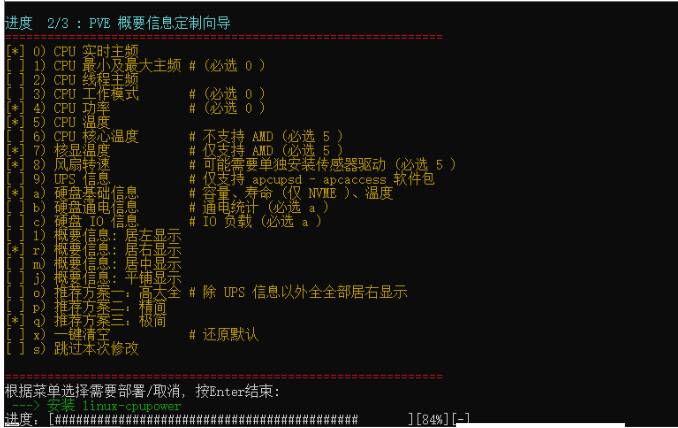
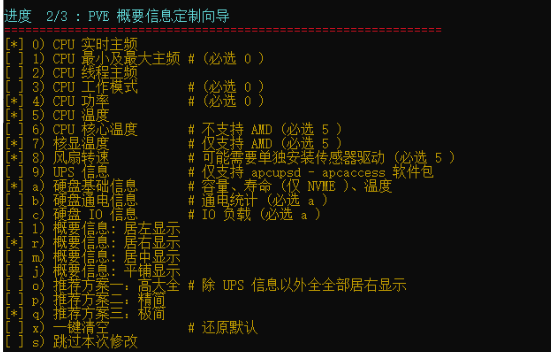
#硬件查看
[root@iso ~]$ pvesh get /nodes/iso/storage
┌──────────────────────────┬───────────┬──────┬────────┬────────────┬─────────┬────────┬────────────┬───────────┬───────────────┐
│content                  │storage   │type │active │     avail │enabled │shared │     total │     used │used_fraction │
╞══════════════════════════╪═══════════╪══════╪════════╪════════════╪═════════╪════════╪════════════╪═══════════╪═══════════════╡
│images,vztmpl,iso,backup │local-sdb │dir  │1      │ 55.07 TiB │1       │0      │ 57.98 TiB │ 1.99 GiB │        0.00% │
├──────────────────────────┼───────────┼──────┼────────┼────────────┼─────────┼────────┼────────────┼───────────┼───────────────┤
│iso,backup,vztmpl,images │local     │dir  │1      │385.07 GiB │1       │0      │430.19 GiB │26.63 GiB │        6.19% │
└──────────────────────────┴───────────┴──────┴────────┴────────────┴─────────┴────────┴────────────┴───────────┴───────────────┘
[root@iso ~]$
| 方式 | 适用文件系统 | 读写支持 | 运行模式 | 适用场景 |
|---|---|---|---|---|
mount |
ext4、xfs、btrfs 等 Linux 原生文件系统 | 读写 | 内核模式(Kernel) | 挂载常见 Linux 磁盘 |
vmfs-fuse |
VMware VMFS |
只读(默认) | 用户态(Userspace FUSE) | 璇诲彇 ESXi 的VMFS 纾佺洏 |
# 格式化处理
mkfs.ext4 /dev/sdb1
mkdir /mnt/sdb
mount /dev/sdb1 /mnt/sdb
#开机自动挂载
# 查看uuid
blkid /dev/sdb1
vim /etc/fstab
echo "UUID=61f4930c-c7b3-42fb-8fa4-927da418ca66 /mnt/sdb ext4 defaults 0 2" |  tee -a /etc/fstab

mount -a
#pve检查

[root@iso ~]$ pvesm status
Name             Type     Status           Total            Used       Available        %
local             dir     active       451081968        27929472       403774676    6.19%
local-sdb         dir     active     62258132148         2086892     59130630244    0.00%
[root@iso ~]$

修改
dir: local-sdb
path /mnt/sdb
content iso,vztmpl,images,backup
nodes *  # 使用 * 确保所有节点都可以访问
prune-backups keep-all=1
shared 0


pvecm updatecerts
systemctl restart pvedaemon pveproxy


[root@iso ~]$ qm rescan
rescan volumes...
[root@iso ~]$ qm start 100
VM 100 already running
[root@iso ~]$